Writing Gherkin That Developers Actually Read
Most Gherkin is written for automation frameworks, not humans. Here is how to write scenarios that teams actually want to read, review, and maintain.
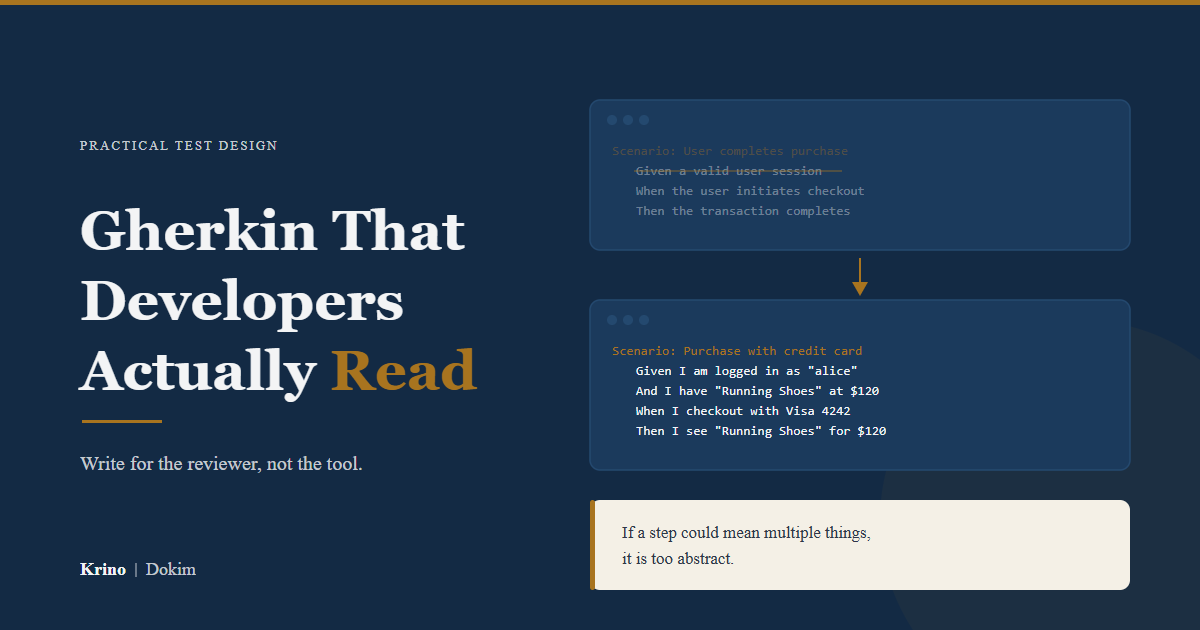
Gherkin was designed to be readable. In practice, most of it is not.
The problem is not the format. The problem is that teams optimize for the wrong reader. Scenarios get written for Cucumber, not for the product owner who needs to verify the behavior. Steps get written for step definitions, not for the developer who will maintain them six months later.
The result is Gherkin that passes automated checks but fails the only test that matters: would anyone voluntarily read this?
Readable Gherkin is not about following a style guide. It is about writing scenarios that communicate intent clearly enough that someone unfamiliar with the code can understand what the system should do.
The Readability Test
Before getting into techniques, it helps to have a simple filter.
A scenario passes the readability test if a product manager, QA lead, or new team member can read it and answer two questions without help:
- What is this scenario testing?
- Why does this behavior matter?
If the reader has to ask “what does this step mean?” or “why is this here?”, the scenario has failed. It may still work as automation. It no longer works as communication.
That is also why readable Gherkin matters strategically, not just stylistically. As argued in when to skip BDD, the overhead only pays off when the scenarios actually help people align.
Write for the Reviewer, Not the Tool
This is the first rule.
A parser only cares whether the syntax is valid. A human reviewer cares whether the scenario makes sense.
That means the real test of a scenario is not “will the framework run this?” The real test is “will a developer, tester, or product person understand what matters here without extra explanation?”
Bad Gherkin often passes the framework check and fails the human check.
Make the Behavior Concrete
The most common readability failure is abstraction.
Abstract steps hide what is actually happening. They read like method names, not behavior descriptions.
# Abstract
Scenario: User completes purchase
  Given a valid user session
  And a configured cart
  When the user initiates checkout
  Then the transaction completes successfully
Every step in that scenario is technically correct. None of them communicate enough. What makes the session valid? What is in the cart? What does “successfully” mean?
Concrete steps answer those questions directly.
# Concrete
Scenario: User completes purchase with credit card
  Given I am logged in as "alice@example.com"
  And I have a cart with "Running Shoes" priced at $120
  When I checkout using my saved Visa ending in 4242
  Then my order confirmation shows "Running Shoes" for $120
  And I receive a confirmation email at "alice@example.com"
The concrete version is longer. It is also useful. A product manager can read it and know exactly what behavior is being verified. For a systematic approach to moving from abstract stories to concrete scenarios, the 5-step decomposition framework shows how to structure this process.
The rule is simple: if a step could mean multiple things, it is too abstract.
Describe Behavior, Not Implementation
Gherkin describes behavior, not implementation. When implementation details leak into steps, scenarios become brittle and unreadable.
# Implementation leaking
Scenario: User login
  Given I POST to "/api/v2/auth/login" with JSON body
  And the response status is 200
  And the response contains "access_token"
  When I set the Authorization header to "Bearer {access_token}"
  Then I GET "/api/v2/users/me" and receive status 200
This is a disguised API test. It describes HTTP mechanics, not user behavior.
A behavior-focused version is easier to read and survives change better.
# Behavior-focused
Scenario: User views their profile after login
  Given I am logged in as "alice@example.com"
  When I view my profile
  Then I see my email "alice@example.com"
  And I see my account creation date
The rule: if the scenario mentions endpoints, status codes, database tables, selectors, or internal methods, implementation is leaking.
Name Scenarios for Scanning
Teams do not read scenarios linearly. They scan.
If the scenario name does not communicate the specific case, the scenario is effectively invisible.
# Poor names
Scenario: Coupon test 1
Scenario: Coupon test 2
Scenario: Edge case
# Better names
Scenario: Valid coupon reduces cart total by percentage
Scenario: Expired coupon shows error and preserves cart
Scenario: Coupon cannot be applied twice to same cartA good scenario name answers one question: what specific behavior does this verify?
If someone has to open the whole scenario just to understand what it covers, the name is not doing its job.
Keep Each Scenario Focused
One scenario should prove one thing.
This is where many feature files become unreadable. The writer tries to be efficient and packs multiple behaviors into one long scenario. Now the file is harder to scan, harder to review, and harder to debug when it fails.
# Too much in one scenario
Scenario: User applies coupon and updates cart and removes item and coupon expires
  Given I have a cart with items totaling $50
  And I have a valid coupon "SAVE20"
  When I apply the coupon
  Then my cart total should be $40
  When I remove an item
  Then the coupon should be removed
  When I add another item
  Then I should be able to reapply the coupon
A better version splits the behaviors:
Scenario: Valid coupon applies correct discount
  Given I have a cart with items totaling $50
  And I have a valid coupon "SAVE20"
  When I apply the coupon
  Then my cart total should be $40

Scenario: Coupon is removed when cart falls below minimum value
  Given I have applied coupon "SAVE20" to a cart totaling $50
  When I remove items and the cart total becomes $25
  Then the coupon should be removed
  And I should see "Coupon removed: minimum order not met"
The second version is longer as a file, but much easier to read as a set of tests. Knowing what test goes where also helps here: if you are clear about which layer owns a behavior, you are less likely to pack unrelated assertions into the same scenario.
Use the Language Your Team Actually Uses
Readable Gherkin uses the terms your team already uses in conversation, tickets, bugs, and product reviews.
That means saying:
- suspended account
- trial expired
- premium dashboard
- failed payout
- overdue invoice
Instead of replacing them with generic phrases like:
- invalid actor state
- subscription condition
- administrative user area
Good scenarios feel native to the product. If the business says “workspace owner” and the scenario says “administrator user,” the file may be technically correct but socially wrong.
# Generic
Scenario: User with elevated privileges accesses restricted area
  Given I am an administrator user
  When I navigate to the administrative user area
  Then I should see the subscription condition panel
# Domain-native
Scenario: Workspace owner views billing after trial expires
Given I am the workspace owner
And my trial expired yesterday
When I open the billing dashboard
Then I should see "Trial ended. Add a payment method to continue."The second version uses the terms the team actually says in standups and bug reports. That is what makes it readable.
Be Specific About Outcomes
Vague outcomes make Gherkin hard to review.
Lines like these sound fine until someone has to decide whether the scenario is correct:
- Then the coupon should work
- Then the user should see an error
- Then the request should succeed
- Then the system should handle it correctly
None of those say enough.
Readable Gherkin makes the expected result concrete: what changed, what stayed the same, what message appears, what action is blocked, what state the system ends in.
# Vague
Scenario: Expired coupon
  Given I have an expired coupon
  When I apply it
  Then I should see an error
# Specific
Scenario: Expired coupon is rejected with a clear message
Given I have a cart with items totaling $50
And I have an expired coupon "OLD20"
When I apply the coupon
Then I should see "This coupon has expired"
And the cart total should remain $50
And no discount should be appliedThe second version removes interpretation. That is what makes it readable.
Use Background Carefully
Background exists to reduce repetition. It runs before every scenario in a feature file.
Background:
  Given I am logged in as a store manager
  And I am on the inventory dashboard

Scenario: Manager adds new product
  When I add a product "Blue Widget" with price $25
  Then "Blue Widget" appears in the product list

Scenario: Manager removes discontinued product
  When I remove "Red Widget" from inventory
  Then "Red Widget" no longer appears in the product list
Background works well when:
- every scenario in the file needs the same setup
- the setup is short
- the setup describes context, not action
Avoid it when:
- only some scenarios need that setup
- the setup is long enough to scroll off screen
- the setup includes actions that affect the scenario outcome
When in doubt, repeat the Given steps. Repetition is usually easier to read than indirection.
Do Not Turn Scenario Outline into a Spreadsheet
Scenario Outline is useful for true data variation. It is easy to abuse.
When the Examples table becomes huge, the scenario stops communicating behavior and starts looking like a spreadsheet.
# Over-parameterized
Scenario Outline: Checkout validation
  Given I have <quantity> of <product> at <price> each
  And I apply coupon <coupon> with <discount_type> of <discount_value>
  And my shipping is <shipping_method> to <shipping_zone>
  When I checkout with <payment_method>
  Then my total is <expected_total>
A better pattern is: write one normal scenario that makes the behavior understandable, then use Scenario Outline only for the true variable you want to exercise.
Scenario: Percentage coupon reduces cart total
  Given I have 2 "Running Shoes" at $50 each in my cart
  When I apply coupon "SAVE10" for 10% off
  Then my cart total is $90

Scenario Outline: Percentage coupon applies to various cart sizes
  Given I have <quantity> "Running Shoes" at $50 each in my cart
  When I apply coupon "SAVE10" for 10% off
  Then my cart total is <expected_total>

  Examples:
    | quantity | expected_total |
    | 1        | $45            |
    | 3        | $135           |
    | 10       | $450           |
The first scenario explains the rule. The outline proves it holds across inputs.
A Quick Checklist
Before committing a scenario, ask:
- Can someone unfamiliar with the code understand it?
- Does the scenario name describe the specific case?
- Are there endpoints, selectors, status codes, or other implementation details leaking in?
- Would a product manager find this useful to review?
- Is the scenario focused on one behavior?
- Is the expected outcome specific?
- Is the Background doing real work, or just hiding setup?
- Is the Scenario Outline still readable without staring at a giant table?
For teams using AI-assisted generation, the same checklist still applies. Tools can generate scenarios quickly. Readability is still a human judgment.
Summary
Readable Gherkin is not about elegance. It is about signal.
Concrete steps over abstract ones. Specific names over generic labels. Behavior over implementation. One scenario per behavior. Careful use of Background and Scenario Outline.
A scenario that no one reads is a scenario that provides no value, regardless of how it was created.